Your Agents' Status, Glowing on Your Desk — What OpenAI's First Hardware, "Codex Micro," Admits About the Cost of Supervision
OpenAI has released its first in-house hardware, the $230 Codex Micro. Six keys show the state of your Codex agents in color, and a dial turns reasoning depth up or down. A look at what it means that supervising agents in parallel has become enough of a job to justify dedicated hardware.


On July 15, OpenAI opened orders for a small keypad called Codex Micro. It costs $230. Built in partnership with dedicated keyboard maker Work Louder, it's the company's first piece of own-brand hardware. Its purpose is narrow: to let you monitor and control OpenAI's coding agent, Codex, with buttons under your fingers.
Your Agents' Status, Glowing on Your Desk
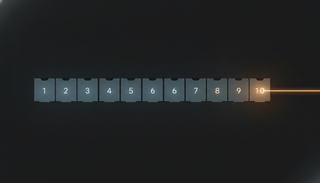
Codex Micro is a square box with 13 keys. At its center sit six Agent Keys, translucent keycaps with LEDs underneath. They show the state of each thread running in Codex as a color. Is it working? Has it finished? Is it stalled waiting on your reply? Did it fall over with an error? The idea is that you can tell from the corner of your eye, without switching screens to go check.
OpenAI describes the product as a "command center for agentic work." Which is another way of saying that people who use one agent at a time aren't the intended audience. The target is anyone who hands separate jobs to several agents and picks up whichever finishes first.
A Dial for "How Hard to Think"
The rest of the controls are mapped to the rhythms of running agents, too.
| Control | Assigned role |
|---|---|
| Agent Keys (6) | Show the state of running Codex threads; press to jump to that thread |
| Command Key | Approve or reject code suggestions, start a new chat, voice input, switch tasks, and more |
| Dial | Adjust Codex's reasoning effort |
| Joystick | Invoke frequently used workflows such as debugging or refactoring |
The dial is the interesting one. Reasoning depth translates directly into response time and cost, and until now it has lived in a settings screen or a command-line argument. Putting it on a rotary physical dial means OpenAI has decided it's something you change per task — "how much thinking does this job deserve?" It's a call to move it out of configuration and into the everyday motions of work.
Setup happens through the ChatGPT desktop app, and spare keycaps are included. The key assignments are clearly meant to be rearranged by the user.
Switching Windows Quietly Became the Job
What this product really signals isn't progress in hardware but a shift in how developers spend their time. The more work runs in parallel across agents, the more the human job moves from writing to tracking what's in what state and deciding whether to approve or send it back. And the time spent moving between windows and tabs, just to keep track, has grown into something you can't ignore. That's the backdrop against which a $230 peripheral makes sense.
This is a useful moment to look at your own working habits. If you're running two or three agents in parallel, count the following and you'll see where you stand.
- How many times a day do you switch screens just to check whether a task has finished?
- How long do finished threads sit idle because you didn't notice they were done?
- Conversely, how long have you kept an agent waiting because you missed that it was blocked on your input?
If those numbers are large, the problem isn't how smart the model is — it's the design of your notifications and visibility. And that's territory you can improve without dedicated hardware. Turn on completion notifications from the agent side, split work into separate named sessions, funnel background results into one place: in most shops, these fixes pay off first. Codex itself works fine without the keypad.
The Limited-Run Caveat
That said, it may be too early to read this as "the arrival of the standard peripheral for the agent era." OpenAI itself frames it as a "limited collaboration," available only while stocks last. Some see it less as a practical tool than as a symbolic product that captures the current mood in software development.
A critical note is worth adding. If physical controls make parallel work more comfortable, they also push you toward running even more agents in parallel. If approval gets faster while human review fails to keep up with the volume of generated code, that isn't a productivity gain — it's review becoming a formality. The convenience of having an approval key at your fingertips is, by the same token, the ease of approving without reading carefully. Worth keeping in mind.
One more note: this announcement lands at the same time as Apple's lawsuit alleging that OpenAI used confidential information in its hardware development. OpenAI denies the claim, and since the case is ongoing, it isn't something to judge at this point.
What to Take Away
For most readers, whether to buy a Codex Micro isn't a pressing question. What matters more is the fact that the way of working this product assumes — running several agents at once while the human supervises and approves — has spread far enough that dedicated hardware can exist as a product. If your team is still at the "ask one agent at a time" stage, parallel work is worth trying. If you're already running in parallel, the next thing to fix is notifications and visibility. Hardware can wait until after that.
References: TechCrunch, "Amid hardware legal battle, OpenAI releases a $230 keyboard for Codex" / Engadget, "OpenAI launches a physical keypad for controlling agents" / Tom's Hardware, "OpenAI's first hardware device is an RGB macropod"