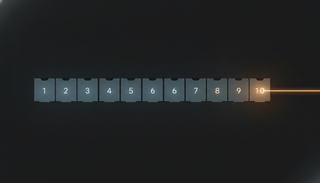
Getting the "Few Minutes of Startup Wait" Out of the Way First — Cursor's Cloud Agents Fork a "Warmed-Up Environment" and Hit the Ground Running
Cursor's newly unveiled "builds" prepares development environments in the background—dependencies installed and setup done—then forks an already-successful machine to launch. Time to first token is roughly 3x faster, and if an environment breaks, agents keep running on the most recent healthy build.


When you run a coding agent in the cloud, the first few minutes tend to disappear into "wait time." Cloning the repo, installing dependencies, running the setup scripts—until that prep is done, the agent can't write a thing. "Builds," which Cursor unveiled on August 13, is a mechanism that takes care of this prep in the background ahead of time, bringing that wait time close to zero. Cursor has announced that starting August 17, builds will be used by default across all cloud environments, both new and existing.
Prepping the Environment in Advance and Keeping It on the Shelf
Builds is a feature in which Cursor prepares a snapshot of your development environment—a ready-made copy—in the background. By default, it creates a new build every hour, waiting in a state where the repo has been cloned, dependencies installed, and setup scripts run. When you launch an agent, it uses this warmed-up environment, so there's no need to spin one up from scratch.
What Gets Reused Is the "Machine That Was Running Moments Ago" Itself
The key to the speed is that instead of reassembling the environment every time, Cursor forks (clones) the running machine from a successful build and launches it. Because it branches off a copy that's still warm, the session starts almost instantly. Here are the figures Cursor cites.
| Metric | Improvement |
|---|---|
| Time to first token | ~3x faster than before |
| Startup for internal environments | ~10x faster |
| Additional cost | None (free for Cloud Agents users) |
Faire, one of the companies using it, is described as now being able to "start up in seconds" even on its largest and most complex repos, running over 2,000 automated agent executions per week without manual intervention (all figures come from Cursor's announcement, and no independent third-party verification has been presented so far).
Even When the Environment Breaks, the Work Doesn't Stop
Builds isn't only about speed. When setup breaks due to a dependency update or a bad commit, the failed build isn't put into service, and the agent keeps using the most recent successful build. You're notified of what broke, so you can investigate calmly in the background—making it less likely that an environment glitch cascades into a work stoppage for the whole team.
Trace "Which Build It Ran On" After the Fact
A "Builds" tab has been added to the Cloud Agents dashboard, improving operational visibility. The main things you can check are:
- The type, status, start time, and version of each build
- Build logs and the corresponding commit SHA
- The mapping of which build each agent execution used
You can also set a threshold that stops an agent from launching when a build has drifted too far from the default branch. The aim is to prevent accidents where an agent keeps running on stale, ready-made state and works from assumptions far removed from the current reality.
What Changes on the Ground
For teams whose workflow is to "ask and wait" on cloud coding agents, this update changes the feel of things. Once those few minutes of startup disappear, you can toss off small requests casually, and the cost and hassle of running many agents in parallel go down too. A design that keeps running on the most recent healthy state even when the environment breaks ties directly into the stability of unattended, high-volume operations. Since it's enabled by default from August 17 onward, if you use Cursor's cloud environments, it's worth noting that your setup will switch to this behavior whether or not you think about it.
What You Shouldn't Overlook
That said, there are points worth keeping in mind. Figures like "3x faster" and "10x faster" all come from Cursor itself, and no independent verification is available at this point. The actual benefit can vary depending on your environment's assumptions and the build interval (default: hourly). And since this is a change applied automatically to all environments by default, it's safest to prepare in advance for the behavior switching unintentionally—by setting up a way to trace which build ran and by configuring a branch-drift threshold. The more you hand a ready-made environment over to the cloud, the deeper your dependence on that infrastructure becomes. It's worth taking a moment at adoption to consider what you're entrusting in exchange for speed.
References: Cloud agents start 3x faster with builds (Cursor official blog) / Cloud Agent Builds (Cursor Docs) / Cursor Changelog / Cursor Agents Launch 3x Faster (StartupHub.ai)